Eaglercraft Download Guide: Safe HTML Files, Offline Play, and What to Avoid
A practical safety guide for players searching for Eaglercraft download, HTML files, offline builds, APK claims, and the difference between downloading a file and playing directly in the browser.

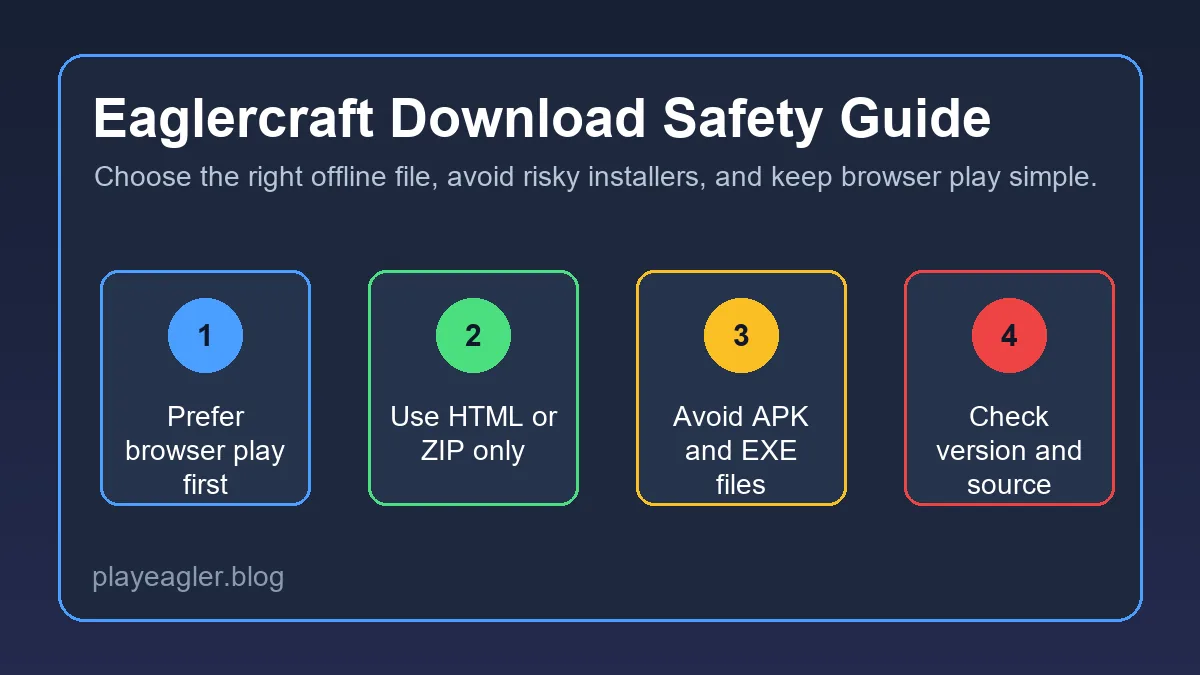
Table of Contents
What Does Eaglercraft Download Actually Mean?
Search results for Eaglercraft download can mean several different things. Some pages offer a hosted browser client. Some offer a single HTML file. Some package assets in a ZIP file. Others use the word download for APKs, desktop installers, launchers, or mirrors that are not clearly explained. Treat the word download as a starting point, not as proof that the result is safe or useful.
The main difference is whether you are downloading a web file or installing software. A browser HTML file is still meant to run inside a browser. A ZIP archive may simply contain the same HTML and asset files. A desktop installer, APK, or extension changes the risk profile because it asks for more access to your device than browser play normally needs.
If your goal is just to play quickly, use the main play page first. If your goal is backup access, offline classroom testing, or saving a known build for later, then a download can make sense. This guide focuses on how to evaluate those files without confusing them with normal Minecraft Java installers.
Do not install unknown software just because a page says it is an Eaglercraft download. Browser-based play should not require a random executable.
HTML, ZIP, WASM, APK, and EXE: Which File Type Is Safer?
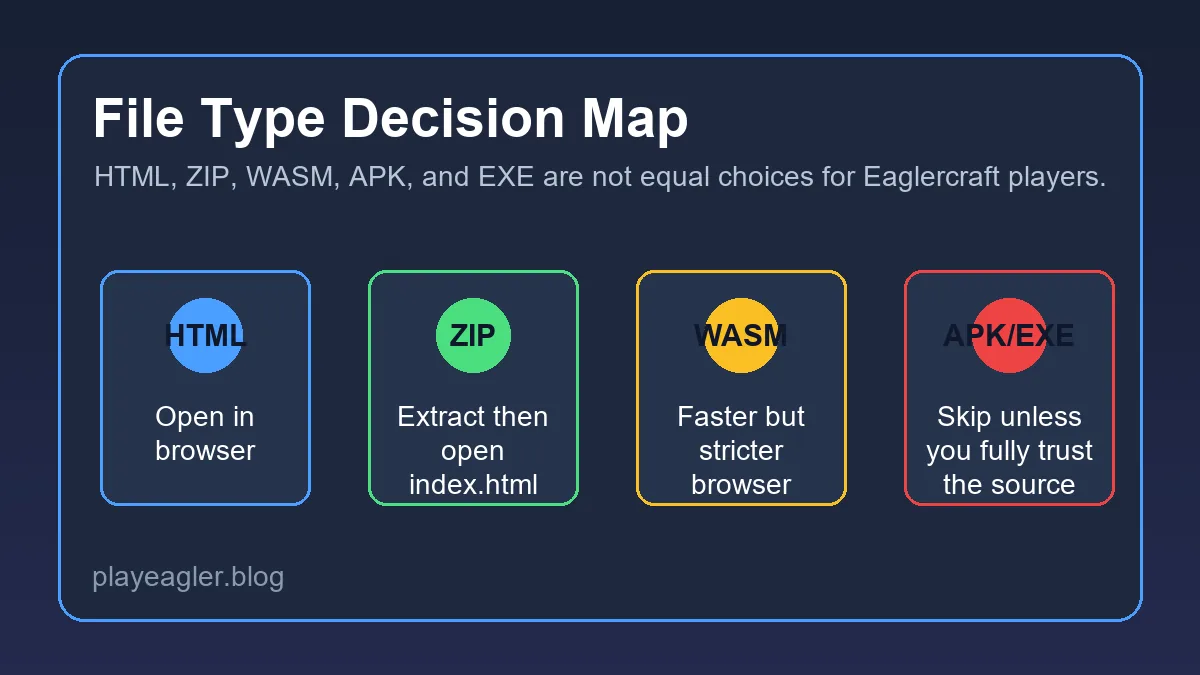
The file extension tells you what kind of decision you are making. HTML and ZIP downloads are usually closer to browser play. WASM can be part of a faster web build, but it still depends on browser support and local file permissions. APK and EXE files are different: they install or run native software and should be treated with much more caution.
A good download page explains the version, file type, expected browser, and whether the file is meant for online or offline use. A weak page uses vague buttons such as Download Now, hides the real file name, opens multiple ad redirects, or asks you to install an unrelated extension before you can play.
Use the table below as a practical filter before opening any file. It does not prove a file is safe, but it helps you spot when a result no longer matches the normal Eaglercraft browser-play model.
| File type | What it usually means | Risk level | Best action |
|---|---|---|---|
| HTML | A browser page or self-contained client file | Lower | Open only from a trusted source and keep it in the browser |
| ZIP | A bundle of HTML, assets, or a static web build | Medium | Inspect the contents before opening anything |
| WASM | A web runtime asset used by some builds | Medium | Expect modern browser requirements and possible local-file limits |
| APK | An Android app package, not normal browser play | High | Avoid unless the source is fully trusted |
| EXE or installer | Native desktop software | High | Skip unknown installers and use browser play instead |
Safe Eaglercraft Download Checklist
Before you open an offline file, slow down and check what the page is asking you to do. A trustworthy browser-game download should be specific: version, file name, file type, and what happens after opening it. If the page cannot explain those basics, do not treat the download button as reliable.
Check the source first. Prefer a page you already know, a documented project page, or a file linked from a trusted community explanation. Avoid clones that copy a title but add unrelated installers, browser notification prompts, or fake download buttons. If a page gives several buttons, the safest link is usually the one that names the actual file.
Then inspect the file behavior. An HTML file should open in a browser. A ZIP archive should show understandable web files such as HTML, JavaScript, assets, or documentation. If you see a surprise executable, extension, script, or installer that was not clearly described, stop and choose browser play instead.
The safest checklist is simple: clear source, clear version, clear file type, no forced installer, no unrelated extension, and no hidden redirects.
Check the version
Make sure the page names the version, such as 1.8.8 or 1.12.2, instead of promising every version at once.
Read the file name
A real download should show a recognizable file name and extension before you open it.
Avoid forced add-ons
Browser extensions, notification permissions, and desktop installers are not required for normal Eaglercraft browser play.
Keep a clean fallback
If a download looks unclear, return to the online play page and avoid putting unknown files on the device.
Offline Files, School Chromebooks, and Local Browser Limits
Many players search for an Eaglercraft HTML download because they want a backup file for restricted networks, school Chromebooks, or unreliable connections. That can work in some cases, but offline files are not magic. Your browser still needs permission to load the file, run scripts, use storage, and handle assets correctly.
Some Chromebooks block local files or restrict downloads through administrator policy. If the file opens to a blank page, the problem may be the local file rule rather than the build itself. A hosted page can sometimes work better than a local HTML file because the browser treats it as a normal website instead of a file opened from disk.
If you do use an offline package, keep it organized. Store the HTML and asset folders together, do not rename required folders randomly, and avoid mixing files from different versions. When a ZIP archive includes instructions, read them before moving files. Many broken offline setups come from extracting only the HTML file and leaving the required assets behind.
| Situation | Likely issue | First fix |
|---|---|---|
| HTML opens but stays blank | Browser blocked local scripts or missing assets | Try a hosted page or keep all extracted files together |
| ZIP extracted but file paths break | Folders were moved or renamed | Extract the entire archive into one folder |
| Chromebook blocks the file | Admin download or local-file policy | Use allowed browser access and do not bypass device rules |
| Worlds do not save | Storage permission or private browsing mode | Use a normal browser session and keep site data enabled |
Mobile Downloads and APK Claims
Eaglercraft APK searches are tempting because players want a phone-friendly shortcut. The problem is that Eaglercraft is best understood as browser-based play, while an APK is an Android application package. That means the file may request permissions, install code outside the browser, and behave differently from the web client you expected.
If you are on mobile, try browser play before hunting for an APK. Tablets with keyboards usually provide a better experience than small phones, and they do not require installing an unknown app. If a page claims that an APK is required to play, treat that claim carefully and compare it with a normal browser route first.
For iPhone and iPad users, APK files are not useful because iOS does not install Android packages. If you see a page offering a universal mobile installer, it is probably not a straightforward Eaglercraft browser file. Use the mobile guide for realistic control and performance expectations instead.
Mobile players should start with browser play. An APK is not automatically safer, faster, or more official just because it looks like an app.
Troubleshooting Eaglercraft Download Problems
If a downloaded file does not work, do not immediately download a second random copy. First identify the failure. A blocked download, a blank browser page, missing assets, no world saving, and failed multiplayer are different problems with different fixes.
For blank screens, test the online play page in the same browser. If the online page works but the local file does not, the issue is probably local-file permissions or missing assets. If neither works, update the browser, disable aggressive content blockers for the page, and check whether the device supports modern browser features.
For multiplayer, remember that downloading a client does not guarantee server access. Browser clients often need WebSocket server addresses and compatible versions. If your downloaded build is 1.8.8, do not assume it can join a 1.12.2 server or a normal Java IP without the right bridge.
| Problem | Likely cause | First fix |
|---|---|---|
| Download button opens ads | Fake or overloaded download page | Leave the page and use a clearer source |
| HTML file is blank | Local file restrictions or missing assets | Open the hosted version or re-extract the full ZIP |
| APK will not install | Android package is blocked or untrusted | Do not force-install; use browser play |
| Server join fails | Wrong address type or version mismatch | Check WSS address and version support |
| World save disappears | Storage disabled or private mode | Use a normal browser session with local storage enabled |
Want to play now?
Use the browser play page if you do not specifically need an offline file.
Play NowNeed mobile help?
Read the mobile guide before installing any APK or trying touch-only play.
Read Mobile GuideJoining servers?
Check the server guide for WSS addresses, login commands, and version matching.
Read Server GuideLooking for skins?
Skin files should normally be direct PNG images. Use the skins guide before trusting installer-style skin downloads.
Skins GuideNeed command help?
Test /give, /tp, and /gamemode in a local world before troubleshooting a server.
Commands GuideFrequently Asked Questions
References and Further Reading
- Google Chrome Help - Download files safely - General browser download safety context
- Mozilla Support - How to stay safe on the web - Browser safety practices for suspicious downloads
- Our Eaglercraft Mobile Guide - Mobile browser controls and performance expectations
About the Author
Sophie writes practical browser-gaming guides focused on safe web play, version choice, multiplayer setup, and device compatibility. This guide was written to separate Eaglercraft download intent from the site's existing online play and server guides.
Last reviewed: June 2026 - Focus: Eaglercraft download safety and browser-file decisions
Play Eaglercraft Without Risky Installers
Start with browser play when possible, and use downloads only when the source, file type, and version are clear.