Eaglercraft 1.8.8 Texture Packs: Safe Resource Pack Guide
A practical guide for choosing, testing, and troubleshooting Eaglercraft texture packs without confusing resource packs with mods, unsafe downloads, or server rule problems.

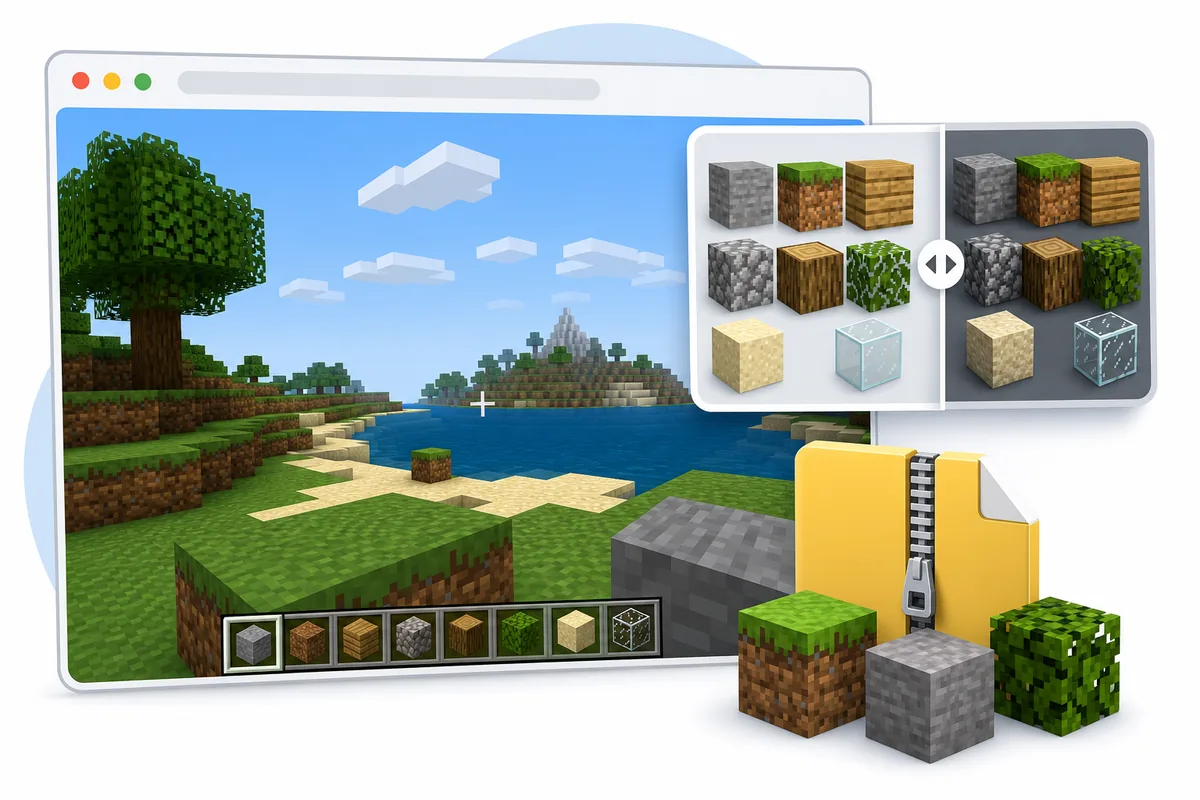
Table of Contents
What Eaglercraft Texture Packs Actually Change
Eaglercraft texture packs are visual resource packs for a browser-based Minecraft 1.8.8 style client. A good pack changes block textures, item icons, GUI elements, particles, fonts, or sky visuals without asking you to install a native program. That makes the intent different from Eaglercraft mods: mods may change code or client behavior, while texture packs should mostly change how the game looks.
The safest starting assumption is simple: if the file behaves like a Minecraft 1.8.8 resource pack ZIP, it may be worth testing. If the page asks for an APK, EXE, launcher, browser extension, notification permission, or unrelated installer, it is no longer just a texture-pack decision. Use the same caution you would use for any unknown download.
This topic deserves its own page because players searching for Eaglercraft texture packs often want a visual upgrade, PvP pack, FPS-friendly pack, or X-ray pack. Those needs are not fully answered by the main play page, the download safety guide, or the modding guide. The boundary here is resource-pack compatibility and safe testing.
A texture pack should be reversible. You should know what file you added, where you tested it, and how to return to the default look.
| Search intent | What it usually means | Best page action |
|---|---|---|
| Eaglercraft 1.8.8 texture packs | Cosmetic resource-pack ZIPs for a 1.8.8 client | Use this guide and test in a disposable world |
| Eaglercraft mods | Loader, code, or modified browser client | Read the mods guide before changing client behavior |
| Eaglercraft download | HTML, ZIP, APK, EXE, or mirror safety question | Use the download safety guide |
| X-ray texture pack | Visibility-changing resource pack with server fairness risk | Check server rules before using it online |
How to Check 1.8.8 Resource Pack Compatibility
Compatibility starts with the Minecraft version. Eaglercraft 1.8.8 is closest to Minecraft Java 1.8.8 behavior, so packs made for modern versions can include files, model formats, or resource paths that an older client does not understand. A pack for 1.20 may still load partly, but missing textures, broken GUI elements, or odd item icons are common.
Look for packs that clearly mention 1.8, 1.8.8, PvP 1.8, or legacy Java resource-pack support. The pack should stay as a ZIP unless the client specifically asks you to extract it. Renaming or repackaging random folders can make a valid pack look broken because the client may expect a particular internal folder structure.
If you already use the 1.12.2 build, do not assume the same pack will behave exactly the same way. Keep 1.8.8 and 1.12.2 testing separate, because version-specific resource paths and client forks can differ.
| Check | Good sign | Risk sign |
|---|---|---|
| Version | Mentions 1.8, 1.8.8, or legacy PvP | Only mentions a much newer Minecraft version |
| File type | A clear .zip resource pack | EXE, APK, extension, or unclear archive |
| Source notes | Shows pack name, creator, version, and screenshots | Only shows a generic download button |
| Test target | Disposable singleplayer world first | Public server first without checking rules |
Safe Install and Test Flow for Eaglercraft Texture Packs
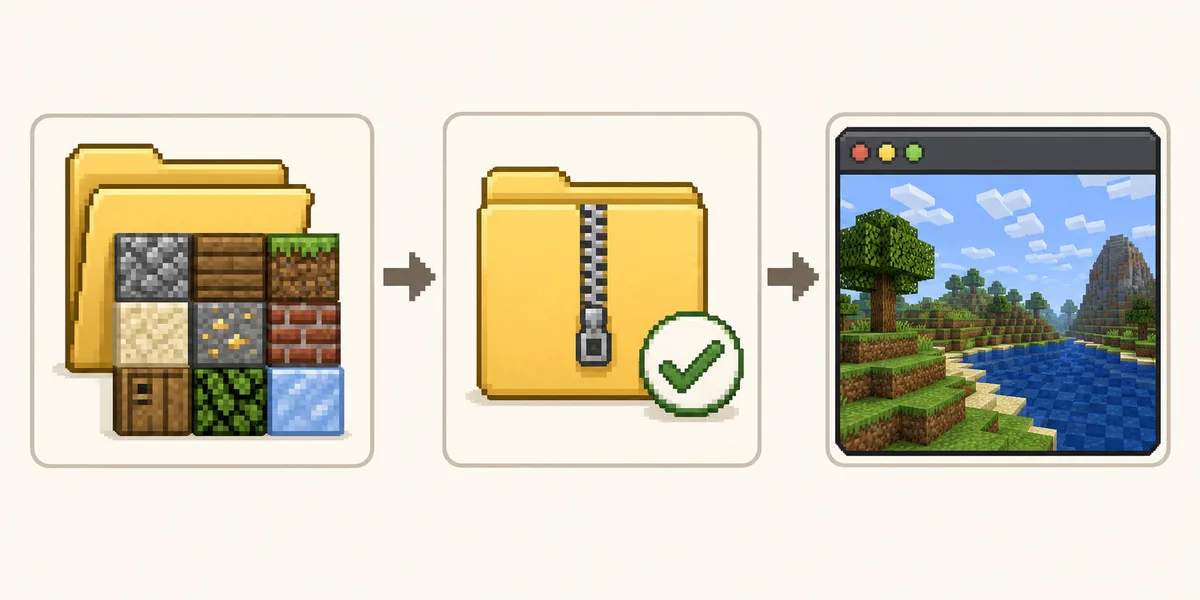
Because Eaglercraft runs in a browser, the exact resource-pack button or import flow depends on the client build. Some builds expose a resource-pack menu. Some expect you to keep the ZIP available and choose it through a file picker. Some hosted clients disable local imports entirely. If you do not see a pack menu, the problem may be the client build rather than the pack itself.
Start with a boring test. Use one known 1.8.8 pack, keep the ZIP unchanged, open a new singleplayer world, and check blocks, inventory, hotbar, sky, and particles. Do not test five packs at once. If something breaks, you need to know whether the file, the client, browser storage, or the pack structure caused it.
After the visual check, test performance. Texture packs with high resolution can make a browser client heavier than expected. If FPS drops, switch back to default textures, lower render distance, close background tabs, and try a lower-resolution pack such as 16x or 32x before blaming the whole client.
Keep your first test reversible: one pack, one test world, one browser profile, and a clear way back to default textures.
- Choose a pack that explicitly supports Minecraft 1.8 or 1.8.8.
- Keep the ZIP file intact unless the client documentation says otherwise.
- Open the resource-pack or import menu in the browser client you are using.
- Load one pack at a time and restart the world if the client asks for it.
- Check basic blocks, inventory items, GUI, sky, and particles in a new world.
- Only move to multiplayer after you know the pack is stable and allowed.
X-ray Texture Packs: Search Demand, Safety, and Server Rules
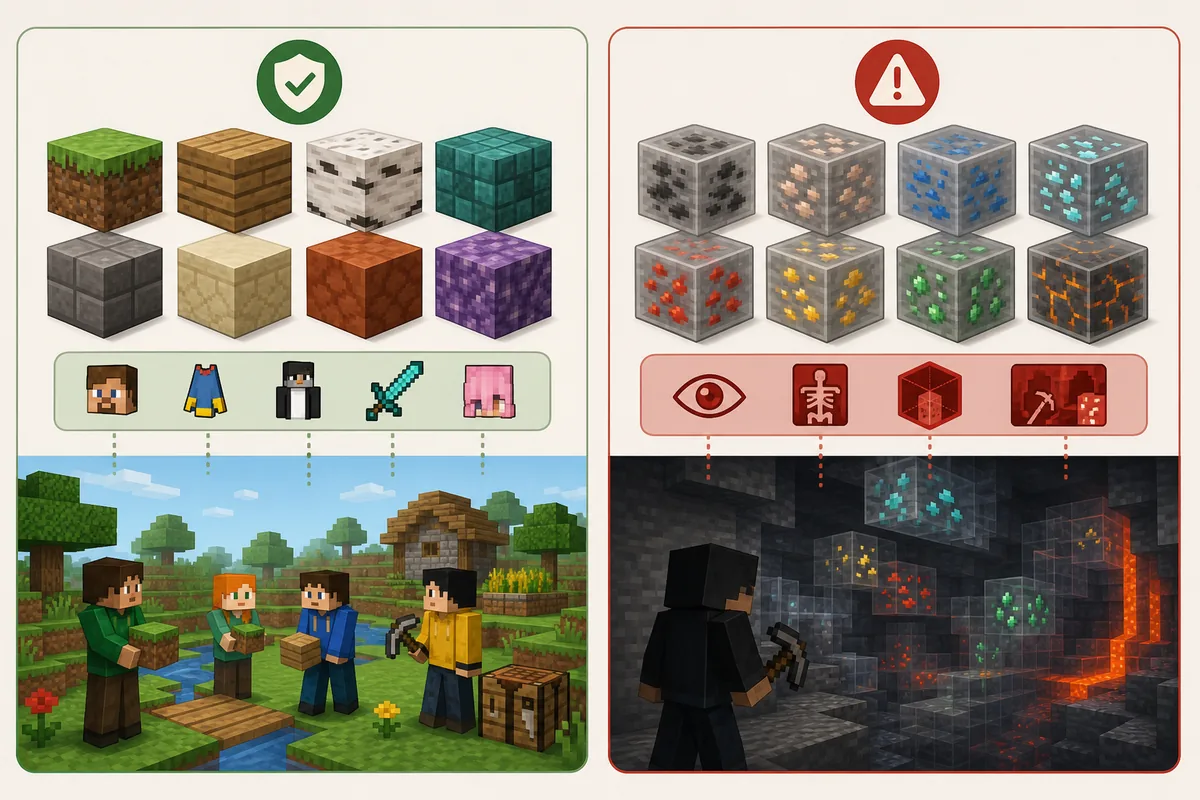
Similarweb and Semrush both surfaced X-ray texture-pack variants around Eaglercraft 1.8.8. That does not make X-ray packs a good default recommendation. X-ray packs are not just cosmetic because they change what a player can see. In singleplayer they may be a private experiment; on multiplayer servers they can violate rules, damage fair play, or get the account/name banned from that community.
If your search is really about brightness, cave visibility, or clearer ore textures, choose a normal PvP or visibility pack instead. Those can improve readability without turning the game into an unfair information advantage. If a page advertises X-ray but hides the file behind installers or mirrors, avoid it entirely.
The safest wording is direct: do not use X-ray packs on servers unless the server explicitly allows them. A browser client being easy to open does not remove community rules. When in doubt, use texture packs for style, readability, and performance, not hidden information.
X-ray intent belongs in a warning section and FAQ, not as the main page promise.
Better for style
Low-resolution PvP packs, cleaner blocks, readable GUI, and simpler particles.
Higher risk
X-ray packs, hidden-ore visibility, server-rule bypass claims, and vague download mirrors.
Singleplayer test
Private world, disposable save, no server economy or competitive advantage.
Multiplayer rule
Use only packs allowed by the server community and avoid unfair visibility changes.
Common Texture Pack Problems and First Fixes
A pack that does not appear in the menu may be the wrong file type, the wrong ZIP structure, or unsupported by that client build. Open the archive name and source notes first. If the actual resource-pack folder is nested inside another folder, some clients will not detect it. If the client has no import option, use a build that documents resource-pack support instead of forcing unrelated downloads.
Pink-and-black missing textures, invisible items, or broken GUI pieces usually mean version mismatch or unsupported files. Try a pack made specifically for 1.8.8. If the pack loads but performance drops, pick a lower resolution pack and reduce render distance. Browser memory limits can be stricter than a desktop launcher.
If the browser becomes unstable, remove the pack and return to the default client. Avoid clearing all site data unless you understand that local worlds may be stored there. When testing visual packs, keep world backups separate from the browser profile you use for experiments.
| Problem | Likely cause | First fix |
|---|---|---|
| Pack not listed | Wrong ZIP structure or no import support | Check source notes and try a documented client |
| Missing textures | Version mismatch or unsupported model paths | Use a 1.8.8 pack |
| FPS drops | Pack resolution too high for browser play | Try 16x or 32x and lower render distance |
| Server warning | Pack violates community rules | Switch to a normal cosmetic pack |
When Texture Packs Are Worth Using
Texture packs are worth using when they solve a real visual problem: default textures feel too busy, the GUI is hard to read on a small Chromebook screen, particles block PvP visibility, or a lower-resolution pack helps the browser run more smoothly. In those cases, the pack improves comfort without changing the basic game rules.
They are less useful when the real problem is connection quality, blocked downloads, server address format, or version mismatch. If multiplayer fails, read the server guide. If the client file looks suspicious, read the download safety guide. If you want code-level behavior changes, read the mods guide instead of treating a texture pack as a mod loader.
The best pack is the one you can explain and remove. You know the version, file type, visual purpose, and server policy. That is enough to make texture packs a practical upgrade rather than another risky download search.
Use texture packs for readability, style, and performance. Use other guides when the issue is download safety, modding, or multiplayer connection.
Changing client behavior?
Read the mods guide before testing EaglerForge, EPK files, or modded browser clients.
Mods GuideUnsure about a file?
Use the download guide to evaluate HTML, ZIP, APK, EXE, and mirror risks.
Download SafetyPlaying online?
Check WSS addresses and server rules before using custom packs in multiplayer.
Server GuideCustomizing your player?
Use the skins guide when you only want to change player appearance with a safe 64x64 PNG, not the whole world texture set.
Skins GuideEaglercraft Shaders: How to Enable PBR and Fix Low FPS
Eaglercraft 1.8 includes a browser-oriented PBR shader path, but it needs a compatible build, WebGL 2, enough GPU headroom, and a resource pack that provides PBR textures. Start with the official launcher, test the built-in option before downloading anything, and treat random shader clients as unverified modded builds.
Shaders GuideFrequently Asked Questions
References and Further Reading
- Minecraft Wiki - Resource pack - General resource-pack structure and version context
- Our Eaglercraft Mods Guide - When a change goes beyond visual resources
- Our Eaglercraft Download Safety Guide - How to evaluate downloads and mirrors
About the Author
Sophie Hartwell
Sophie writes practical browser-gaming guides focused on Eaglercraft versions, safe web play, multiplayer setup, and compatibility decisions. This guide separates resource-pack intent from modding, downloads, and server-rule issues.
Last reviewed: July 2026 - Focus: Eaglercraft 1.8.8 texture-pack compatibility and safe browser testing
Keep Texture Pack Testing Simple and Reversible
Start with one 1.8.8 pack, test it in a disposable world, and move to multiplayer only after checking server rules.