Eaglercraft Shared World Not Working? Fix Failed to Connect Errors
A practical troubleshooting guide for shared worlds, relay URLs, join codes, browser storage, school networks, and the difference between a quick shared world and a real Eaglercraft server.

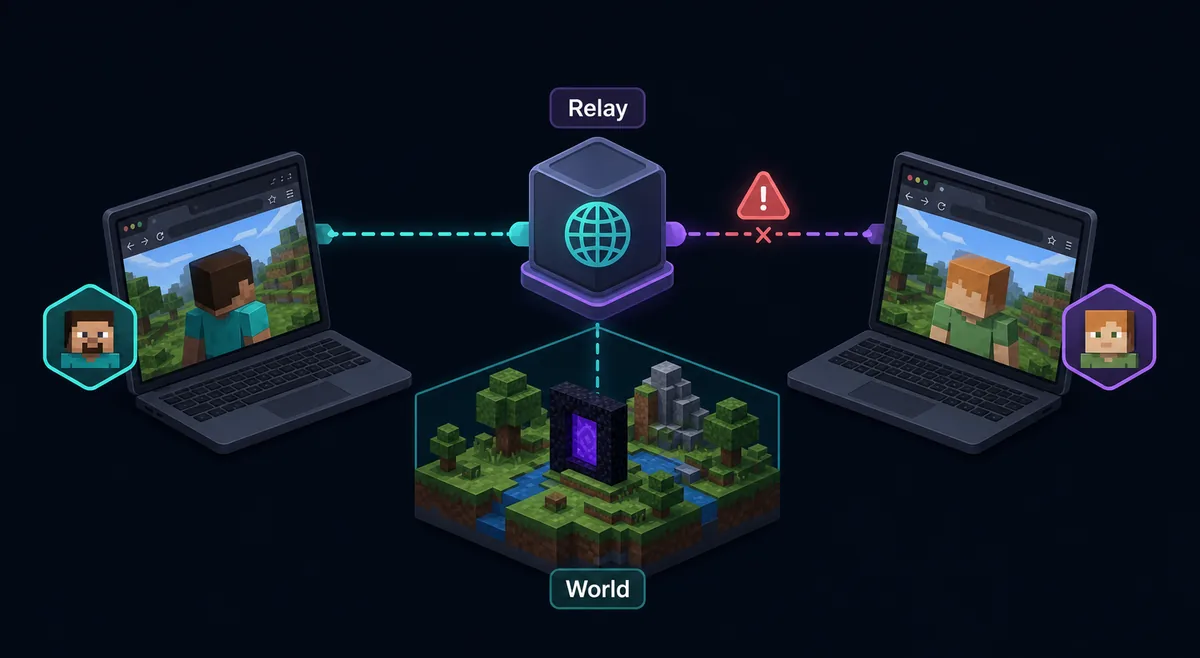
Table of Contents
What Does a Shared World Mean in Eaglercraft?
A shared world is usually a temporary way to let another player join the world that is already running in the host player's browser. It is different from a public server list, a private hosted server, or a normal Minecraft Java IP. The host browser still matters, the build version still matters, and the relay path has to work for both players.
That distinction explains many failed to connect messages. If the host closes the tab, reloads the page, changes mirrors, or creates a new code, the old invite may stop working. If the friend types the code into a different build or a relay that cannot reach the host, the browser can fail even when both players are online.
Use this page when your goal is co-op inside a local browser world. If you are trying to join a public survival, PvP, or anarchy server, use the Eaglercraft server guide instead because that path depends on WSS server addresses rather than a shared local world.
A shared world is a live browser-hosted session. Treat it like a temporary invite, not a permanent multiplayer server.
Quick Fix Checklist for Failed to Connect to Shared World
Start with the simple checks before changing files or downloading another client. Most shared world failures come from a stale invite, a closed host tab, a blocked relay connection, or two players using different Eaglercraft builds.
The host should enter the world first, wait until the world is playable, then create a fresh share or invite code. The joining player should use the same site or build family when possible. If either player refreshes, switches mirror, or changes Network Settings, generate a new code instead of reusing the old one.
Do not paste a relay URL into the browser address bar expecting it to open like a normal website. In Eaglercraft, relay and WSS values are usually connection settings used by the client. They must match what the game expects.
Best first test: same browser family, same Eaglercraft version, fresh join code, host world still open, and no private/incognito window.
| Check | What to confirm | Why it matters |
|---|---|---|
| Host tab | The host is inside the world and did not reload | A shared invite often depends on a live host session |
| Fresh code | The code was created after the host world loaded | Old codes can expire or point to a closed session |
| Same build | Both players use compatible Eaglercraft versions | Different builds may use different relay behavior |
| Normal browser | No incognito/private window for the host | Temporary storage and blocked APIs can break hosting |
| Network | Both networks allow WebSocket-style connections | School filters often block relay traffic |
Relay URL, Join Code, and Network Settings
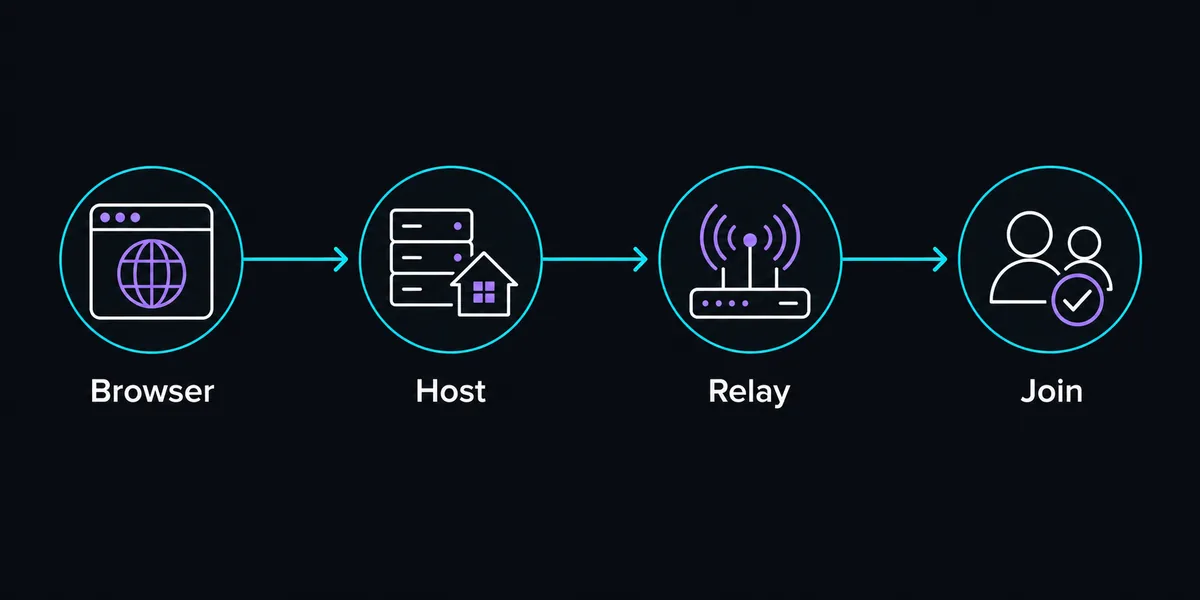
The phrase relay URL appears in many Eaglercraft discussions because browser multiplayer often needs a relay or WebSocket path to connect players. For shared worlds, both sides need a compatible path. If one player changes relay settings and the other stays on a different default, the join code may look correct but still fail.
If the build exposes Network Settings, compare the host and joining player settings. Do not randomly copy relay URLs from comment sections unless you understand what they are for. A relay can be offline, blocked by a network, or meant for a different build. If a guide says to use a specific relay, test it with a disposable world before relying on it for a long session.
When the error appears immediately, suspect a bad or expired code. When the connection hangs and then fails, suspect relay, firewall, or network filtering. When it works for one friend but not another, compare browser, network, VPN, extensions, and managed device restrictions.
A relay value is connection infrastructure. It is not proof that a shared world exists, and it is not the same as a public server address.
| Symptom | Likely cause | Next step |
|---|---|---|
| Fails instantly | Old code, wrong code, or host session closed | Create a fresh invite after the host loads the world |
| Spins then fails | Relay, firewall, or blocked WebSocket path | Test another allowed network or compatible relay setting |
| Friend A joins, Friend B cannot | Browser, extension, school policy, or device difference | Compare browser profile and network restrictions |
| Works until host reloads | Shared world depended on host tab | Keep the host world open or use a real server |
Network, Version, and Storage Causes
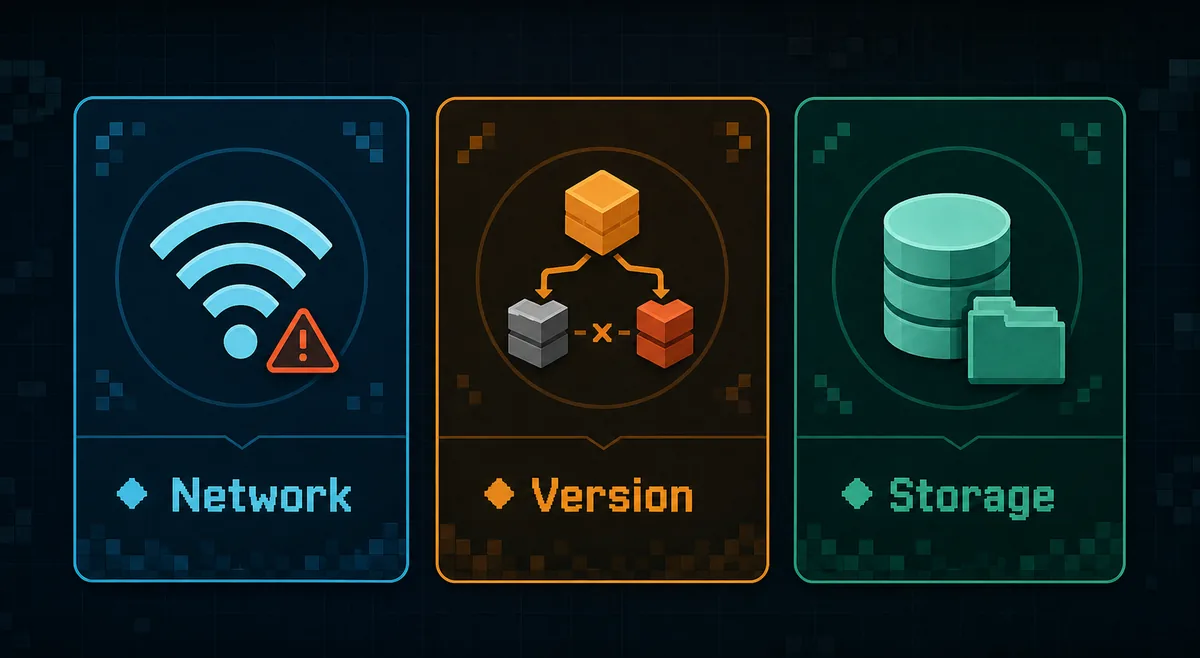
Once the fresh-code test fails, group the cause into three buckets: network, version, or storage. Network issues include school filters, blocked WebSockets, VPN rules, browser extensions, and captive Wi-Fi portals. Version issues happen when one player uses 1.8.8, another uses 1.12.2, or a mirror changes client behavior. Storage issues happen when the world or invite state is tied to a browser profile that does not persist data correctly.
This is why downloading another random copy rarely fixes the root issue. If the school network blocks the relay path, a different mirror may load but still fail to connect. If the host created the world in private browsing, the session can disappear when the window closes. If the friend is using a different build, the join flow may not understand the same code.
Keep notes when testing: build name, browser, device, network, relay setting if visible, and exact error text. That makes it easier to identify whether you have a local browser problem or a multiplayer path problem.
| Cause group | Common signs | Fix direction |
|---|---|---|
| Network | Fails on school Wi-Fi but works at home | Use an allowed network and avoid bypassing device rules |
| Version | Menus or share options look different between players | Use the same Eaglercraft build/version |
| Storage | Host world or code disappears after closing browser | Use normal browsing and export important worlds |
| Extension | One browser fails while another works | Disable aggressive blockers for the game page |
Network first
If both players do everything correctly but the connection times out, the relay path may be blocked before the game can join.
Version second
Shared-world features are build-specific. Matching 1.8.8 with another 1.8.8 build is safer than mixing versions.
Storage third
The host world lives in browser storage. Clearing data or changing profiles can remove the session context.
Server alternative
If friends need reliable access when the host is offline, a real Eaglercraft-compatible server is the better model.
Shared World vs Eaglercraft Server: Pick the Right Multiplayer Path
A shared world is best for a quick test with one or two friends when the host is online. A server is better for repeat play, more players, public communities, minigames, and worlds that should stay available when the original host leaves.
If your question is what is the most friendly server in Eaglercraft, what server address should I use, or how to host a server on Eaglercraft, that is server intent. Use the server guide because it covers WSS addresses, server lists, hosting tradeoffs, and version matching. If your question is why a friend cannot join my local world, stay on this shared-world troubleshooting path.
Do not promise friends that a shared invite will behave like a permanent realm. It may be convenient, but it is usually less stable than a proper hosted setup.
Use shared worlds for quick co-op. Use a server when the world needs uptime, rules, player slots, or a persistent address.
| Goal | Better choice | Reason |
|---|---|---|
| One short co-op session | Shared world | Fastest if the host stays online |
| Persistent friend world | Private server | Friends can reconnect without the host browser |
| Public PvP or survival | Server list | You need an existing WSS server address |
| Moving a local save | Export plus compatible setup | World files and server formats need careful matching |
Chromebook and School Network Tips
Many Eaglercraft players use Chromebooks or managed school devices. Those environments can load the game page but still block the shared-world connection path. A page loading successfully does not prove that WebSocket relay traffic is allowed.
Respect device and network rules. Do not install unknown extensions, APKs, VPNs, or desktop helpers just to force a shared world to work. If the network blocks relays, use allowed browser play, singleplayer, or a public server only when it is permitted. On a managed device, private browsing, storage cleanup, and admin policies can also erase or isolate worlds.
For a safe test, create a disposable world, invite one friend on the same allowed network, then test from a second network later. If only the managed network fails, the issue is probably policy or filtering rather than your world.
If a managed Chromebook blocks relay traffic, the safe fix is not a mystery download. Use a permitted network path or stick with singleplayer.
Need server addresses?
Use the server guide for WSS addresses, server lists, hosting, and multiplayer setup beyond shared worlds.
Read Server GuidePlaying with friends
Use the new guide to choose a shared world or server, match versions, send an invite, and troubleshoot join failures.
Read Friends GuideWorld missing too?
The singleplayer guide explains browser saves, EPK exports, backups, and why worlds disappear.
Read Singleplayer GuidePlay before testing
Open the game in the browser first, confirm it loads, then troubleshoot the shared-world invite.
Play NowFrequently Asked Questions
References and Further Reading
- EaglercraftX project documentation - Project source and multiplayer/network context
- Our Eaglercraft Servers Guide - Server list and WSS address troubleshooting
- Our Singleplayer Guide - Browser saves, local worlds, and backup workflow
About the Author
Sophie Hartwell
Sophie writes practical browser-gaming guides focused on Eaglercraft access, multiplayer setup, save safety, and troubleshooting on Chromebooks and restricted networks.
Last reviewed: June 2026 - Focus: Eaglercraft shared-world connection troubleshooting
Test Eaglercraft Multiplayer the Safer Way
Start with a fresh shared-world invite, then switch to the server guide if you need a persistent multiplayer address.