Eaglercraft móvil: ¿de verdad se puede jugar en teléfono o tablet?
Una guía práctica para quienes buscan Eaglercraft móvil, controles táctiles y la mejor forma de ejecutar Minecraft 1.8.8 en el navegador desde dispositivos táctiles.

Tabla de contenidos
¿Eaglercraft funciona en móvil?
Sí, Eaglercraft puede abrirse en un teléfono o una tablet porque funciona dentro del navegador. Si buscaste Eaglercraft móvil, la respuesta directa es que puede cargar en Android, iPhone y iPad, pero la jugabilidad depende más de los controles y del tamaño de la pantalla que de la compatibilidad básica.
El problema principal es que Eaglercraft 1.8.8 sigue la lógica de control de Minecraft Java Edition. Moverse, correr, gestionar el inventario, colocar bloques y escribir en el chat es mucho más fácil con teclas reales. Solo con pantalla táctil, acciones como apuntar con precisión, agacharse o escribir comandos se vuelven más lentas y poco fiables.
Eso no significa que el móvil sea inútil. Una tablet con funda-teclado es suficiente para partidas casuales en un solo jugador y parte del multijugador. Un teléfono grande puede servir para sesiones cortas, revisar un servidor o explorar un mundo guardado, pero rara vez es la mejor configuración principal.
Si tu objetivo es probar, chatear o jugar de forma casual, el móvil es viable. Si quieres supervivencia larga o PvP, usa portátil, Chromebook o añade un teclado externo.
Mejores dispositivos para jugar Eaglercraft en móvil
La compatibilidad móvil no es igual en todos los dispositivos. El tamaño de pantalla, la RAM, el navegador y la posibilidad de conectar teclado importan más que la marca.
| Tipo de dispositivo | Experiencia | Uso recomendado |
|---|---|---|
| Tablet + teclado | La mejor opción móvil | Un jugador, construcción y multijugador ligero |
| Teléfono grande + teclado Bluetooth | Buena | Viajes, entrar a servidores y sesiones cortas |
| Teléfono grande solo táctil | Jugable pero incómodo | Pruebas, exploración casual y acceso a menús |
| Teléfono pequeño antiguo | Mala | Solo para comprobar si carga o para emergencia |
Cómo configurar Eaglercraft en teléfono o tablet
La configuración es sencilla, pero unos pequeños ajustes cambian mucho la experiencia en pantallas táctiles.
-
Abre un navegador moderno
Usa Chrome en Android o Safari/Chrome en iPhone y iPad. Actualiza el navegador primero para que WebAssembly y WebGL funcionen mejor. -
Carga la página principal de juego
Entra en playeagler.blog y espera la carga inicial. En móviles la pantalla negra puede durar más que en escritorio. -
Gira el dispositivo en horizontal
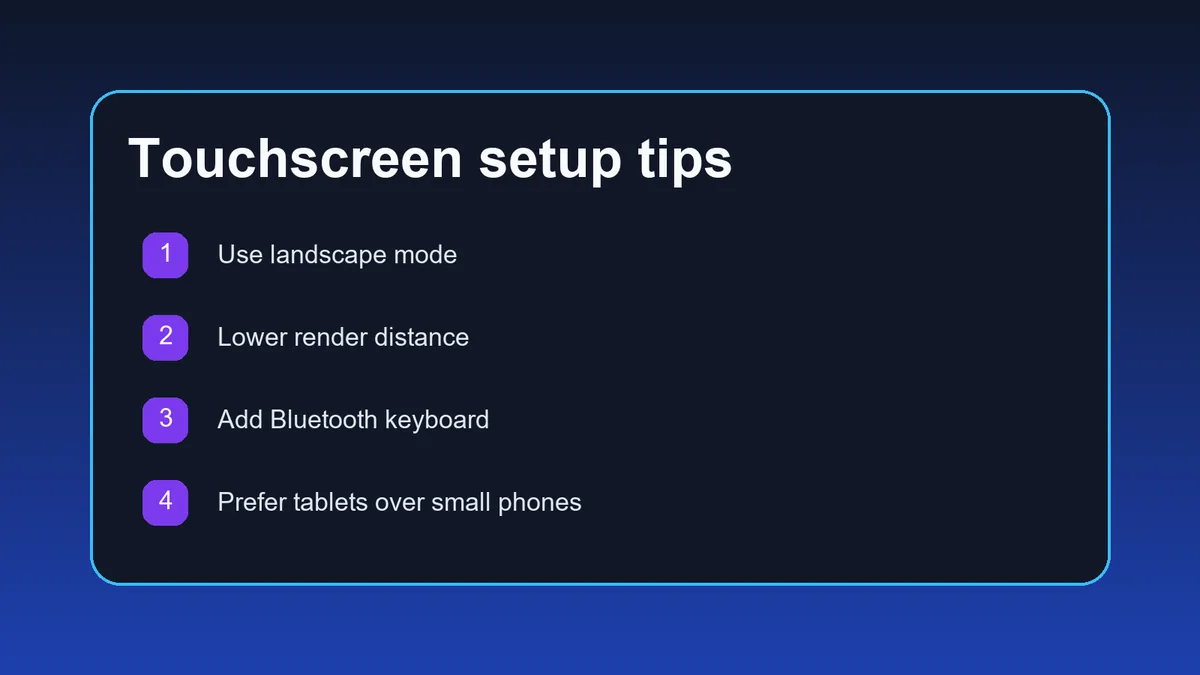
El modo horizontal deja más espacio para la barra rápida, el inventario y la cámara. En vertical todo queda demasiado apretado. -
Ajusta tus expectativas si juegas solo con touch
Antes de entrar a un mundo, decide si jugarás solo con la pantalla o si conectarás un teclado Bluetooth. El teclado cambia por completo la experiencia. -
Baja la distancia de render después de cargar
Abre los ajustes de vídeo y reduce la distancia de render para evitar tirones, sobrecalentamiento y gasto excesivo de batería.
Si el juego carga pero se siente imposible de usar, normalmente el problema son los controles, no la compatibilidad. Prueba con teclado antes de descartarlo.
Consejos táctiles que sí ayudan
Los controles táctiles son la razón principal por la que la gente busca una guía específica de Eaglercraft móvil. Estos ajustes reducen bastante la frustración.
| Problema | Qué pasa | Qué hacer |
|---|---|---|
| Botones y barra rápida demasiado pequeños | Pulsas mal y gastas objetos o abres el slot equivocado | Usa el modo horizontal y solo aplica zoom del navegador si la interfaz sigue siendo legible |
| La cámara se mueve al minar | Fallas bloques o golpeas el objetivo incorrecto | Haz sesiones más cortas y evita PvP si juegas solo con touch |
| Escribir comandos en multijugador | Registrar e iniciar sesión es lento | Conecta un teclado Bluetooth antes de entrar a servidores activos |
| Gestionar inventario | Arrastrar objetos se siente lento | Mantén la barra rápida simple y evita ordenar demasiado en pantallas pequeñas |
Cómo mejorar el rendimiento en móvil
Los problemas de rendimiento en móvil suelen venir de la memoria del navegador, el calor y el ahorro agresivo de batería, más que de la velocidad de internet.
Cierra todas las pestañas en segundo plano
Los navegadores móviles recuperan memoria con agresividad. Dejar solo Eaglercraft abierto reduce recargas y picos de lag.
Baja primero la distancia de render
Es la mejora más rápida en tablets y teléfonos. Cuatro a seis chunks suele ser el rango seguro.
Evita el modo ahorro de batería
El ahorro puede reducir el rendimiento del navegador y de la GPU, empeorando la carga de chunks y el retraso en los controles.
Usa Wi‑Fi para multijugador
Los datos móviles pueden funcionar, pero el Wi‑Fi suele ser más estable para entrar a servidores y registrar cuentas.
Haz pausas si el dispositivo se calienta
Cuando el teléfono se sobrecalienta, el navegador reduce rendimiento. Déjalo enfriar antes de culpar al servidor.
Mantén sesiones realistas
El móvil funciona mejor para sesiones cortas o medias. Para largas construcciones o PvP serio, una pantalla grande sigue siendo mejor.
¿Se puede jugar multijugador en móvil?
Sí, el multijugador funciona en móvil si el navegador mantiene estable la conexión WebSocket. La parte más incómoda es escribir direcciones WSS, registrarse en el chat y reaccionar con suficiente velocidad en combate.
- Usa la dirección WSS exacta de un listado actual de servidores, no una IP Java normal.
- Escribir comandos como /register y /login es mucho más fácil con teclado conectado.
- Los servidores de supervivencia, creativo y juego social son mucho más cómodos en móvil que Bedwars o PvP intenso.
- Si la conexión se corta, prueba primero en tu Wi‑Fi de casa antes de asumir que el servidor está roto.
Para multijugador en móvil, la mejor fórmula suele ser tablet más teclado en un servidor de supervivencia tranquilo.
Límites que conviene conocer antes de apostar por móvil
Una buena página sobre Eaglercraft móvil debe ser honesta con los compromisos. Funciona, sí, pero sigue siendo una alternativa menos cómoda que jugar en Chromebook o escritorio.
- Apuntar solo con touch es peor para minar, puentear y combatir.
- El inventario y el chat son más lentos en pantallas pequeñas.
- Las sesiones largas consumen batería y calientan el dispositivo rápidamente.
- Algunos navegadores móviles pueden recargar la pestaña si se quedan sin memoria.
- Una tablet con teclado casi siempre supera a un teléfono, aunque el teléfono sea más potente.
¿Necesitas la guía completa para empezar?
Lee la guía principal de Minecraft 1.8.8 para carga, controles, un jugador, multijugador y rendimiento.
Leer la guía para principiantes¿Buscas servidores cómodos para móvil?
Usa la guía multijugador para encontrar direcciones WSS y elegir servidores más tranquilos, que suelen funcionar mejor en pantallas táctiles.
Leer la guía de servidoresPreguntas frecuentes
Referencias y lecturas adicionales
- Minecraft Wiki - Java Edition 1.8 - Contexto oficial sobre la versión, mecánicas y controles
- Nuestra guía para principiantes de Minecraft 1.8.8 - Recorrido completo sobre carga y jugabilidad
- Nuestra guía de servidores de Eaglercraft - Ayuda con direcciones WSS y configuración de multijugador
Sobre la autora
Sophie Hartwell
Sophie escribe guías prácticas sobre juegos en navegador y aplicaciones web ligeras. Para este artículo revisó cómo se comporta Eaglercraft en móviles pequeños, tablets y configuraciones con teclado externo.
Última revisión: mayo de 2026 - Enfoque: Minecraft en navegador sobre dispositivos táctiles
¿Listo para probar en móvil?
Abre el juego en horizontal, baja la distancia de render y mantén tu primera sesión simple. Si quieres algo más fluido, conecta un teclado antes de entrar al multijugador.